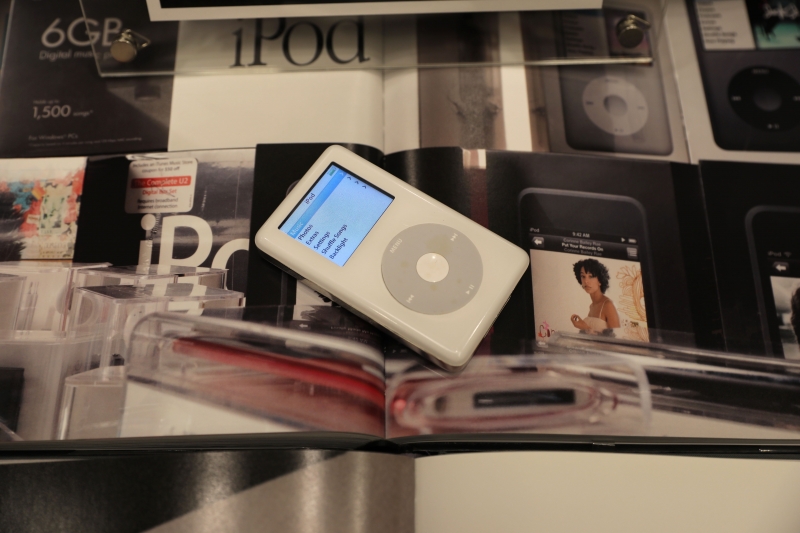
Sale iPod Photo 30 GB สภาพสวย แถมหูฟัง+สายซิ้งเกรดพรีเมี่ยมพร้อมใช้งานครับ
ให้กำลังใจ 0
หยิกหู 0
แจกหู 0
ความคิดเห็นที่ : 2
yhoyho
05/07/2018 12:58:21
0
IP : 114.109.33.2
Sale iPod Photo 30 GB สภาพสวย แถมหูฟัง+สายซิ้งเกรดพรีเมี่ยมพร้อมใช้งานครับ
ให้กำลังใจ 0
หยิกหู 0
แจกหู 0
ความคิดเห็นที่ : 3
Carl1995
25/10/2026 19:00:09
IP : 103.121.48.90
A few weeks ago I needed to put two completely different photos together, but I didn't want to spend an evening learning Photoshop just for one image. One picture showed me standing outdoors, while the second had a background that I liked much more, so I decided to experiment with an AI solution instead https://overchat.ai/image/ai-kissing-generator I uploaded both files and described what I wanted the final picture to look like. The useful thing was that I didn't have to manually cut anything out or deal with layers and masks. I simply explained which person should stay in the foreground and which image should provide the background. The AI image combiner processed the two pictures and produced a single composition. I was mainly curious about how well it would handle lighting and perspective because the original photos had been taken in completely different places. The result wasn't absolutely perfect on the first attempt, but it was much closer than I expected, and the shadows and colors looked reasonably consistent. I tried another version with a different instruction and got a better composition. I also liked being able to choose the final aspect ratio instead of having to resize the picture afterward. For a quick personal project, this saved me quite a lot of time. I wouldn't use it as a replacement for professional editing in every situation, but for combining ordinary photos without complicated software, I found the process surprisingly convenient.